Pragma Engine 2026.3: dedicated telemetry, login queue bypass, and Unreal 5.8

Pragma Team
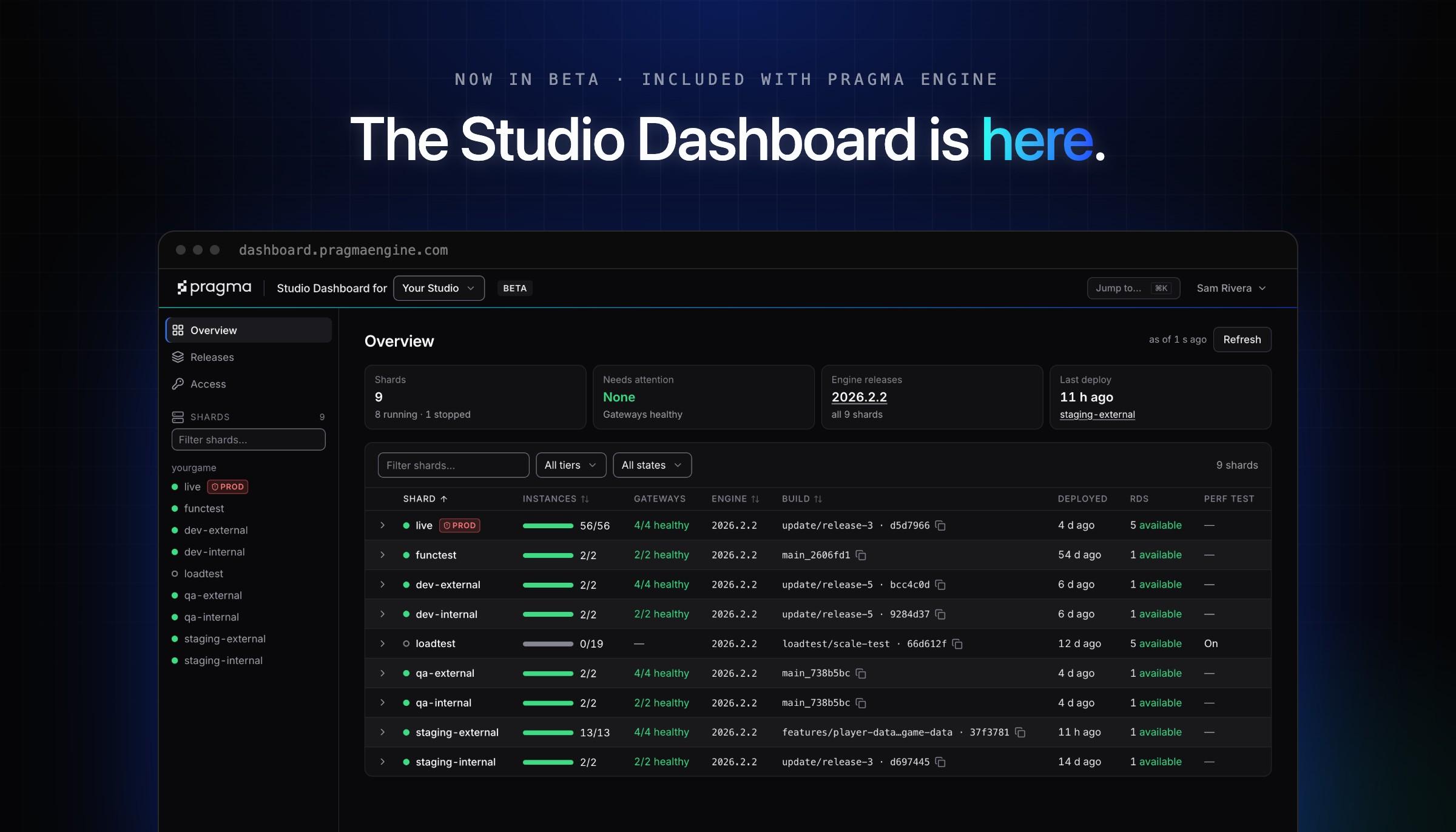
Every Pragma Engine studio now gets a dashboard that shows its whole backend in one place: shards, builds, config and performance tests. Here's why we built it, what it does today, and where we're taking it.
Nov 25, 2026 · 6 min read

Joe Geraghty
GM, Pragma Engine
"Is the loadtest shard up?"
If you run a game on Pragma Engine, there's a good chance someone on your team has typed some version of that question into Slack. Maybe it was "what build is on staging right now?" or "why does QA behave differently from dev?" or just "who do I ask about this?" And there's a good chance one of us answered it.
We love helping our studios but we love enabling our studios to succeed themselves even more - it is core to why we built the engine the way we did. So today I'm excited to introduce the Studio Dashboard: your team's one-stop shop where you can see the backend you run on Pragma Engine, for yourselves, whenever you want. It's in beta now, and it's included with every Pragma Engine deployment.
A game backend is one of the most important things a studio owns, and ideally also one of the least visible. When it's working, nobody thinks about it. When something looks off, the information you need is scattered across AWS consoles, Grafana boards, deploy logs and the memory of whichever engineer set it up.
Over the last year we kept receiving the same questions from studios:
Various asks about various details of your backend setup. All things we could easily answer and some things were already available to studios but none of it was centralized. We wanted to bring our studios the ability to better understand their own systems, so we are bringing you the Studio Dashboard.
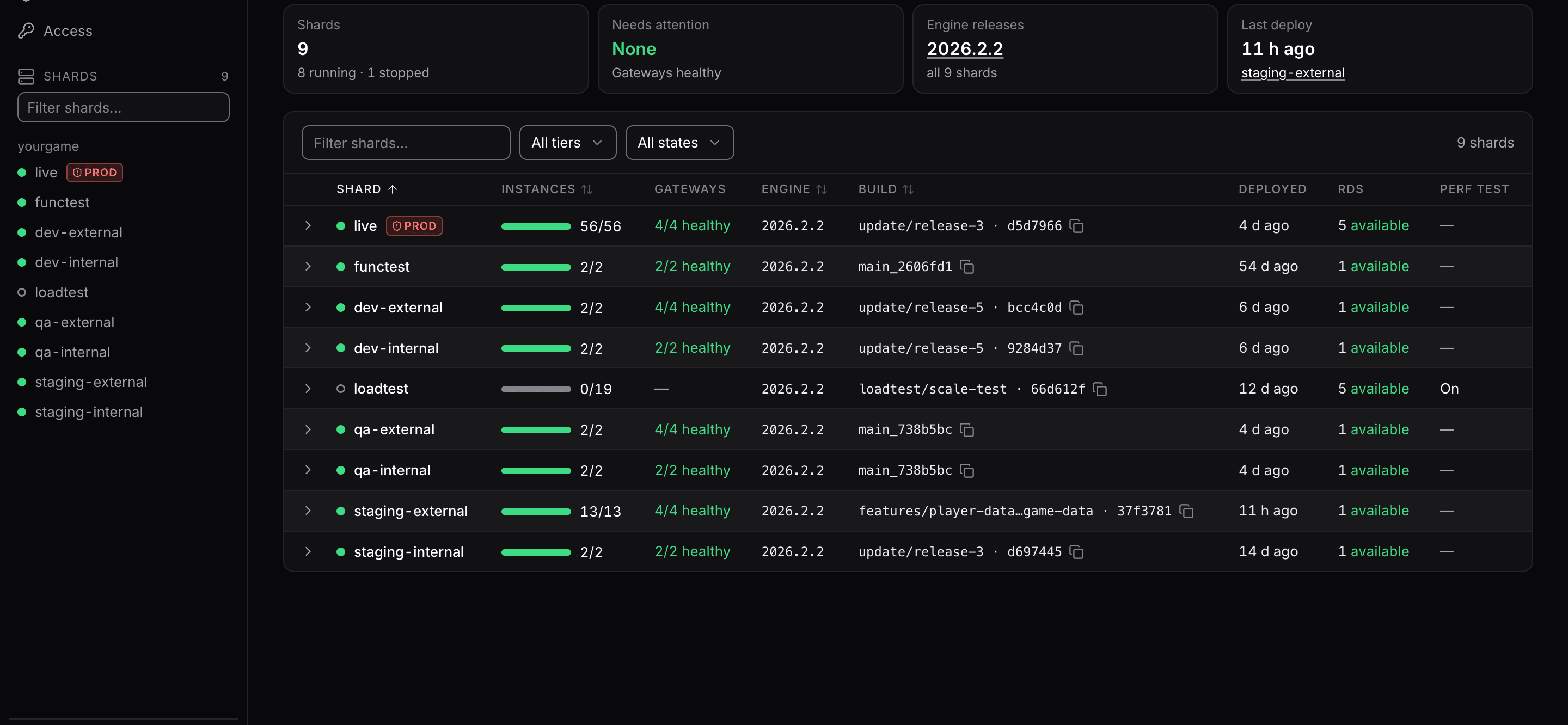
Every shard, at a glance. Every environment for every title on one page: whether it's running, how many instances it has, which engine version and build it's on, and whether its gateways are answering. If something needs attention, it sits at the top of the page instead of waiting to be noticed.
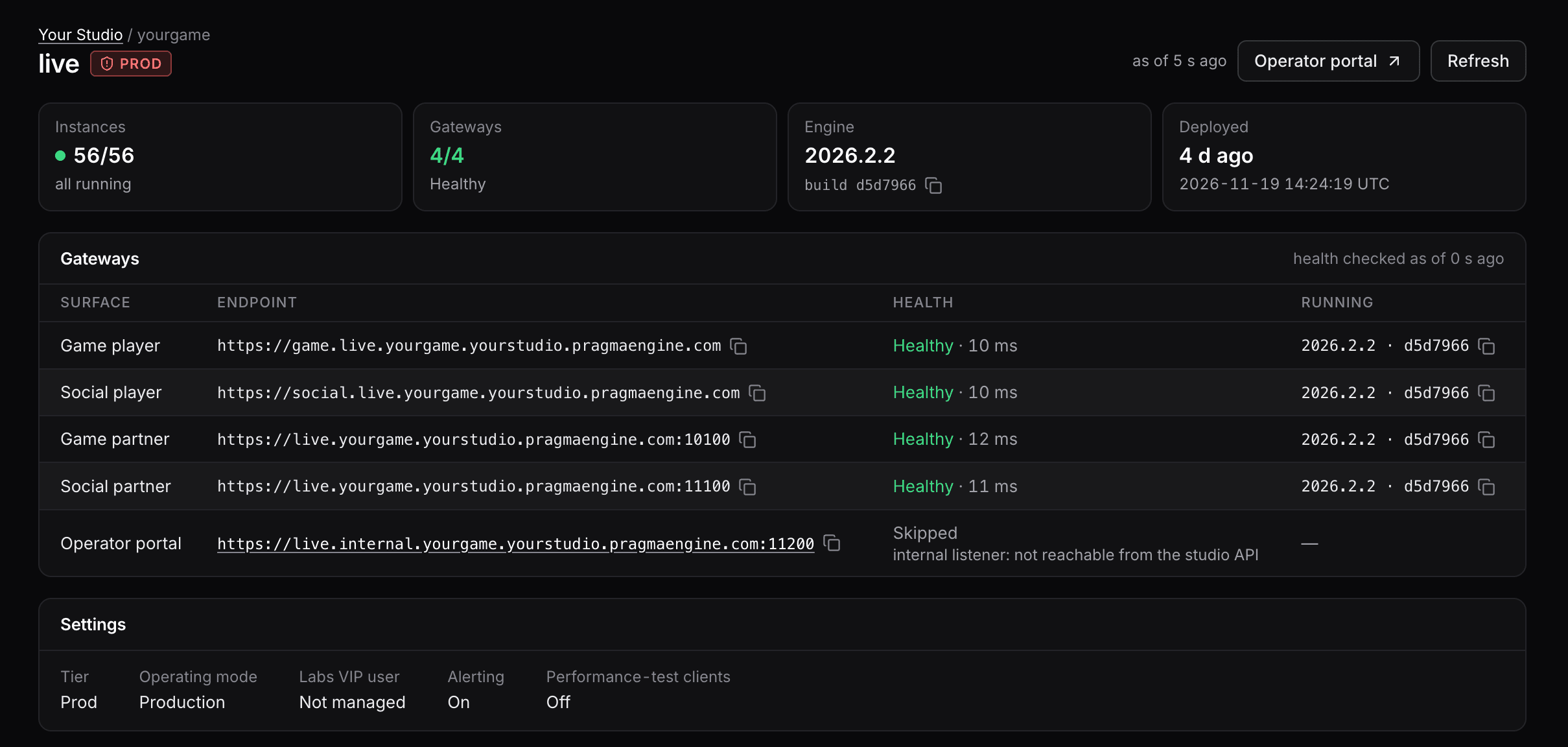
What's deployed, and when. For each shard you can see the Pragma build on every node, each artifact (platform, config, content, portal) and when it went out, next to the newest engine release. When a bug report comes in, the first question, "what changed?", already has an answer.
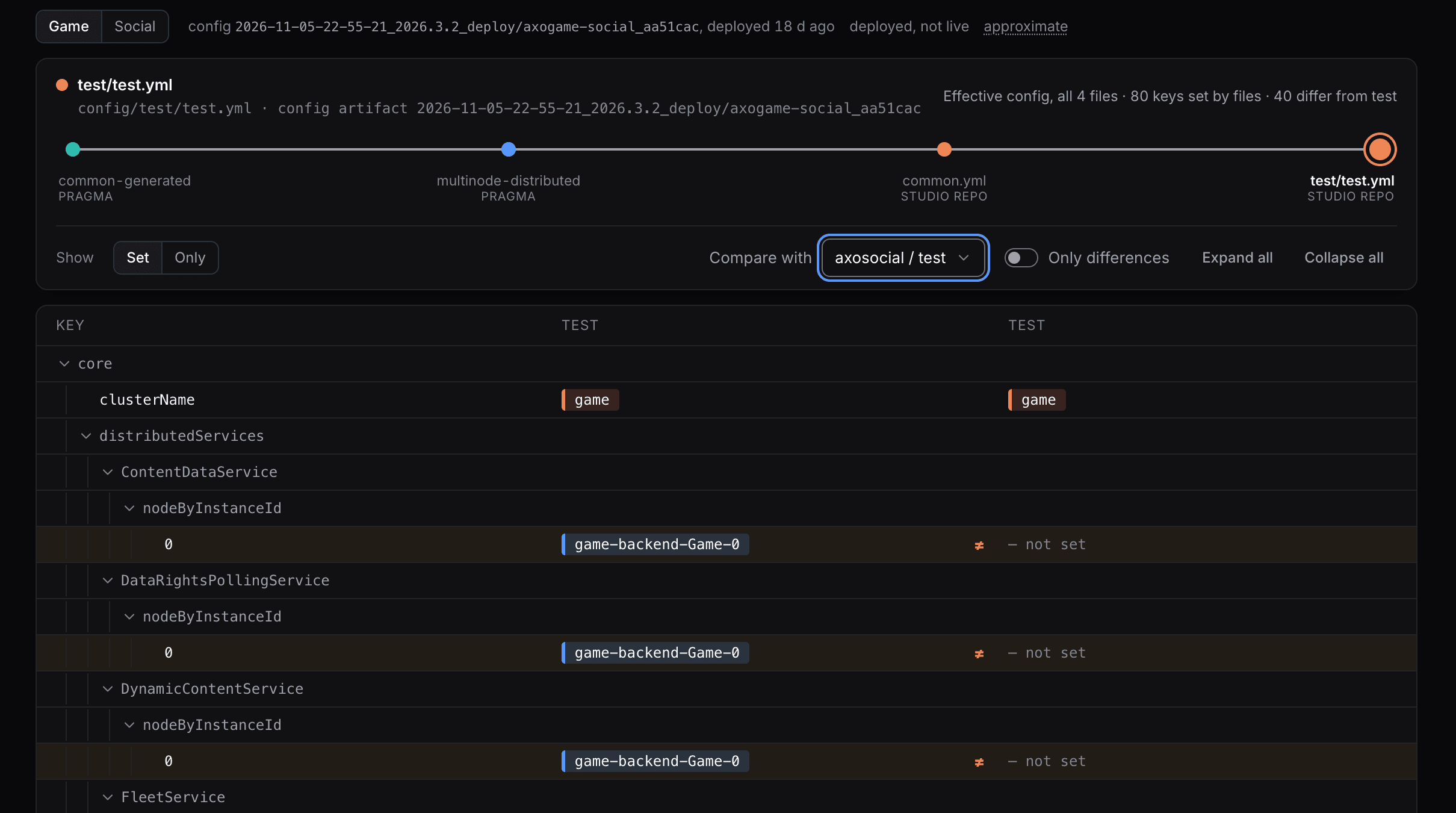
Your config, explained. This is the one I'm personally most excited about. A shard's configuration is built from several files layered on top of each other, some generated by Pragma and some written by your team. The config view shows the result as one tree, with every value colored by the file that set it. Hover a value to see which file set it and what it replaced. Step through the files in load order. Pick a second shard and see exactly where the two differ. "Why does staging behave differently from dev?" goes from an afternoon of digging to a few seconds.
Performance testing on the record. Every simulation run against a shard, with its settings and outcome, and which simulation build your test clients will run next. Results the whole team can read, not just whoever ran the test.
Access in one place. Download your VPN profile, create service accounts for your own tools, and manage how your team connects.
The dashboard is one client of a documented API. The Labs CLI is another. Your own tools can be the next one.
Every studio works differently. Some teams will live in the dashboard. Some will live in the terminal. And some will want shard status piped into their own Slack bots, build pipelines and internal tools. We want you to build exactly the workflow your team wants so we gave you the power to do it.
Our goal is to create a dashboard with the things you want and need so we added a feedback button on every page. When you use it, the request lands as a thread in your studio's Slack channel with us, and you can follow its status from inside the dashboard. There's also a list of everything the dashboard does and everything we're planning, and you can vote on what we build next.
We mean it. We moved from the first beta to the second in two days, and we intend to keep shipping at that pace while we learn what you need most.
Today the Studio Dashboard is about seeing your backend clearly. Next, it's about running it. Here's the direction we're headed, in no particular order because we want your feedback to help set the priority:
And one idea that I think could change how studios work with their backend: because everything in the dashboard sits on an API, it's a natural fit for AI agents. Imagine asking "is anything unhealthy on staging, and what changed since yesterday?" in plain English and getting a real answer from your own backend. We're exploring what that looks like, carefully, with the same permissions the dashboard uses.
The bigger goal is simple. Pragma should give studios more control and more visibility over their backend, not less. Our engineers are still here for the hard problems, through support and Professional Services. The Studio Dashboard just means the easy questions get answered in seconds, and your team gets to spend its time on the game.
If you're a Pragma Engine studio, the dashboard is live at dashboard.pragmaengine.com. Have a look around, then tell us what you think with the feedback button. We read everything.
If you're not on Pragma yet and want to see it with your own game in mind, take a look at the Studio Dashboard page or book a demo.
Thanks for reading. Keep building great games!
Joe
About the author

Joe Geraghty
GM, Pragma Engine
Joe runs Pragma Engine, the backend game engine studios use to build and run online games. Pragma has launched many of the most exciting independent games in recent years, including Wardogs that peaked over 400k concurrent players and 3 million sales in its first weeks.